📖 Complete Guide

The Complete Digital QR Menu Guide for Restaurants & Cafés

Why you should choose a QR Menu over paper, how to set it up in minutes, and how to stand out with AI images, a TV Slider and a Hi! Page.

⚡ Live in 15 minutes 📷 Smart Scan 🌍 180+ Languages 🎁 30-day free trial
📸 Real Difference

Before & After: See the Difference

From a worn paper menu with crossed-out prices to a professional digital menu with photos – a real example from a Greek tavern.

BEFORE
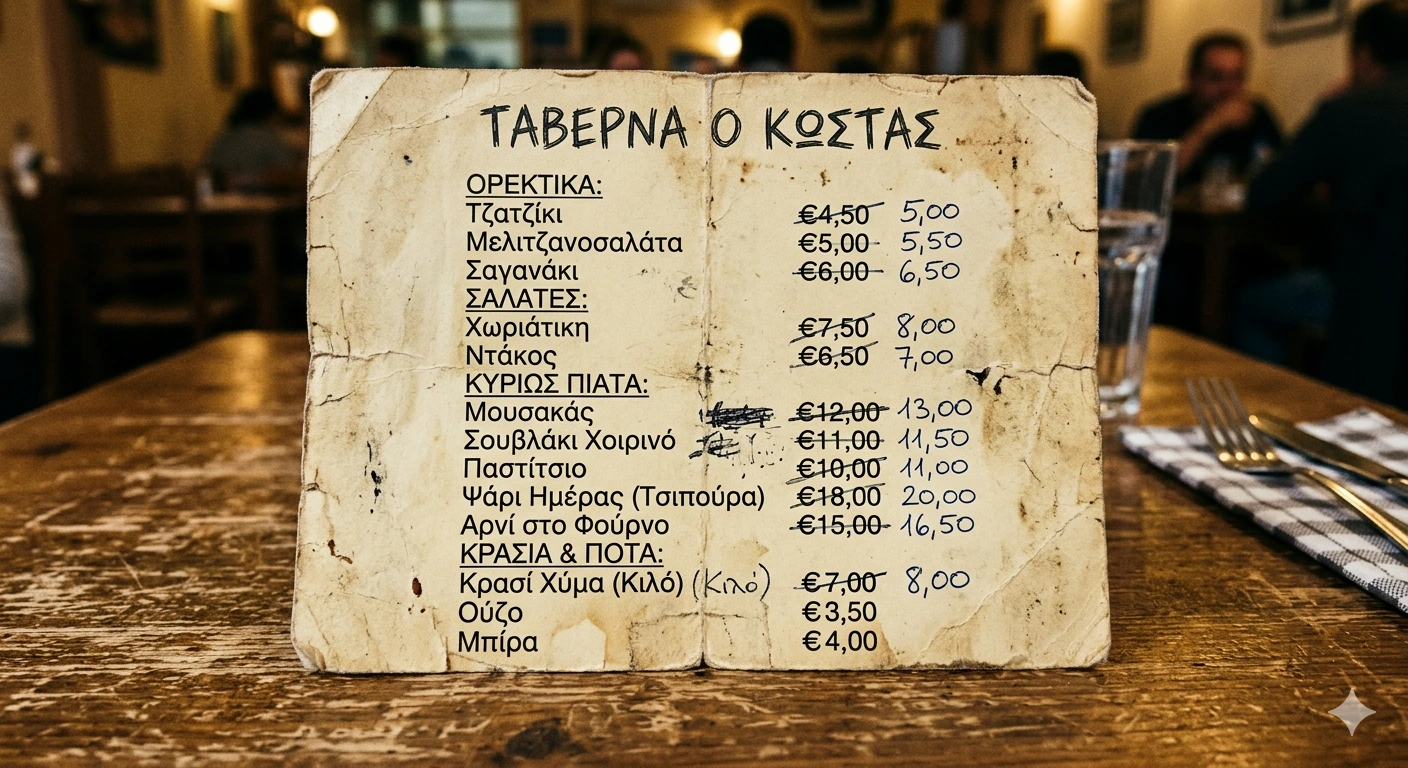
Old Paper Menu — paper menu vs Waitex digital QR menu

Old Paper Menu

Worn, with new prices scribbled over old ones. Hard to update, no photos, single language only.

AFTER
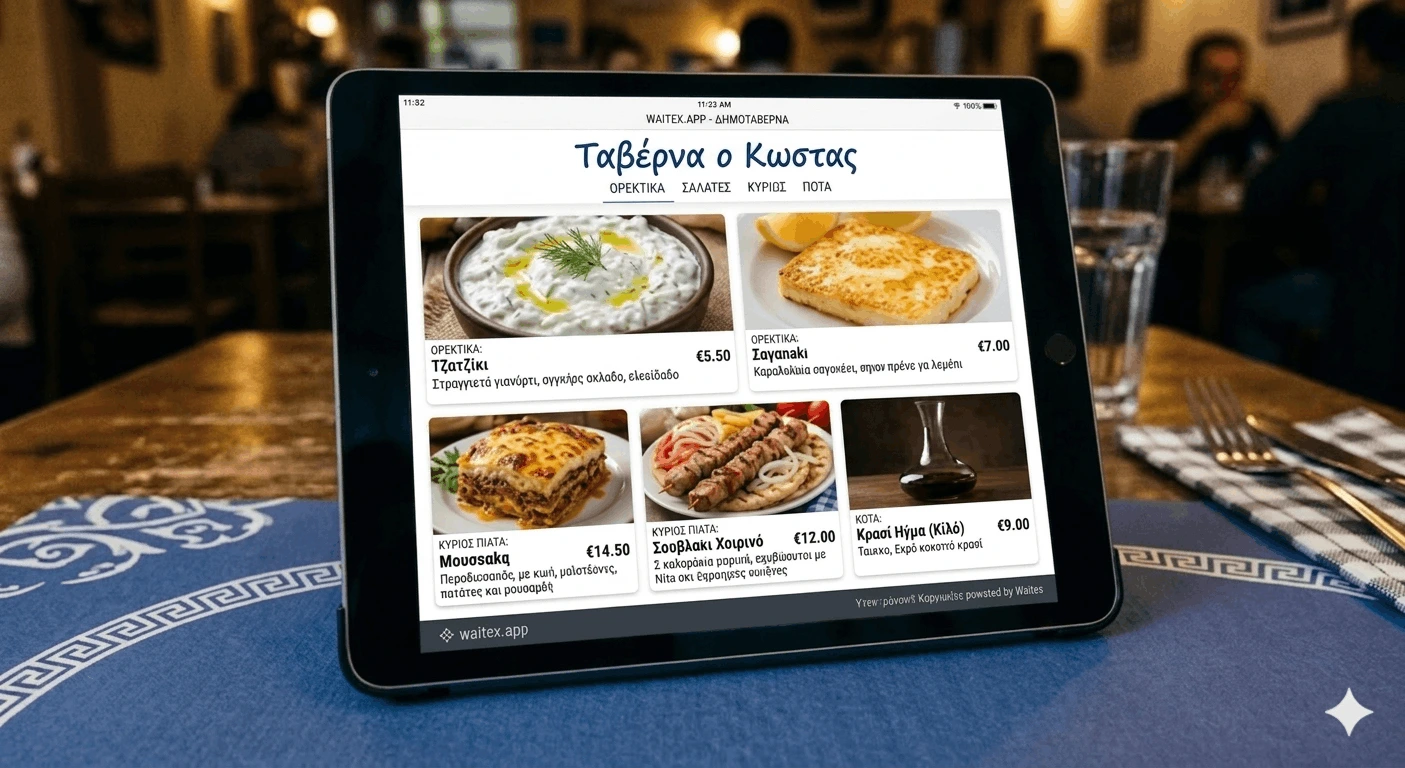
Waitex Digital Menu — digital QR menu Waitex

Waitex Digital Menu

Clean design, attractive food photos, prices that change with one click, multi-language, QR on every table.
Why this article

If you run a café, restaurant, bar or delivery business, you know the menu is the first impression your customer gets. In this article we explain why paper menus are over, how to switch to a digital menu with QR Code and AI, and how Waitex.app does the heavy lifting for you – even if you have no photographer and no time.

🆚 QR Menu vs Paper

Why a Digital Menu Instead of Paper?

Paper menus served us well for 80 years. Today they cost time, money and customers. Here are the 7 key differences:

Instant Updates

Coffee price went up? Update the product in 10 seconds. With paper, you would have to reprint the whole menu.

📱

QR Code on Every Table

Customers scan with their phone and see your menu in their language, with photos and prices.

🌍

Multi-Language Automatically

The same menu is auto-translated. Greek, French, Arab tourist – everyone reads it in their own language.

🎨

AI Food Photos

No photographer needed. Our AI generates professional images based on the dish name.

💰

Zero Printing Costs

No more printing bills. The savings easily cover the subscription.

🦠

Hygienic & Clean

No menu passing from hand to hand. Important after the lessons of 2020.

📊

Stats & Insights

See which dishes get the most views and improve your sales accordingly.

🤖 AI Image Generation

A Stunning Menu Without a Photographer

We know it is practically impossible to cook and plate every dish in one day just to photograph them. It is time-consuming and expensive.

With Waitex.app you get a complete and attractive menu today. Generate professional AI images for every dish automatically, then gradually replace them with your own photos taken inside your shop.

📷

Smart Scan — Paper to Digital Menu

Photograph your existing paper menu. The AI recognises every product automatically. Tap "Add all" and two buttons appear instantly: "Add description for all" and "Generate image for all". Your full menu is ready in seconds.

🤖

AI Images & Descriptions (No Prompt)

No photographer, no copywriter needed. The AI reads each dish name and automatically generates a professional photo and an appetising description — one click for all products at once.

🤝

We Do It For You

Prefer a hands-off setup? Send us a photo of your existing paper menu and we will fully digitize it for you — at no extra charge.

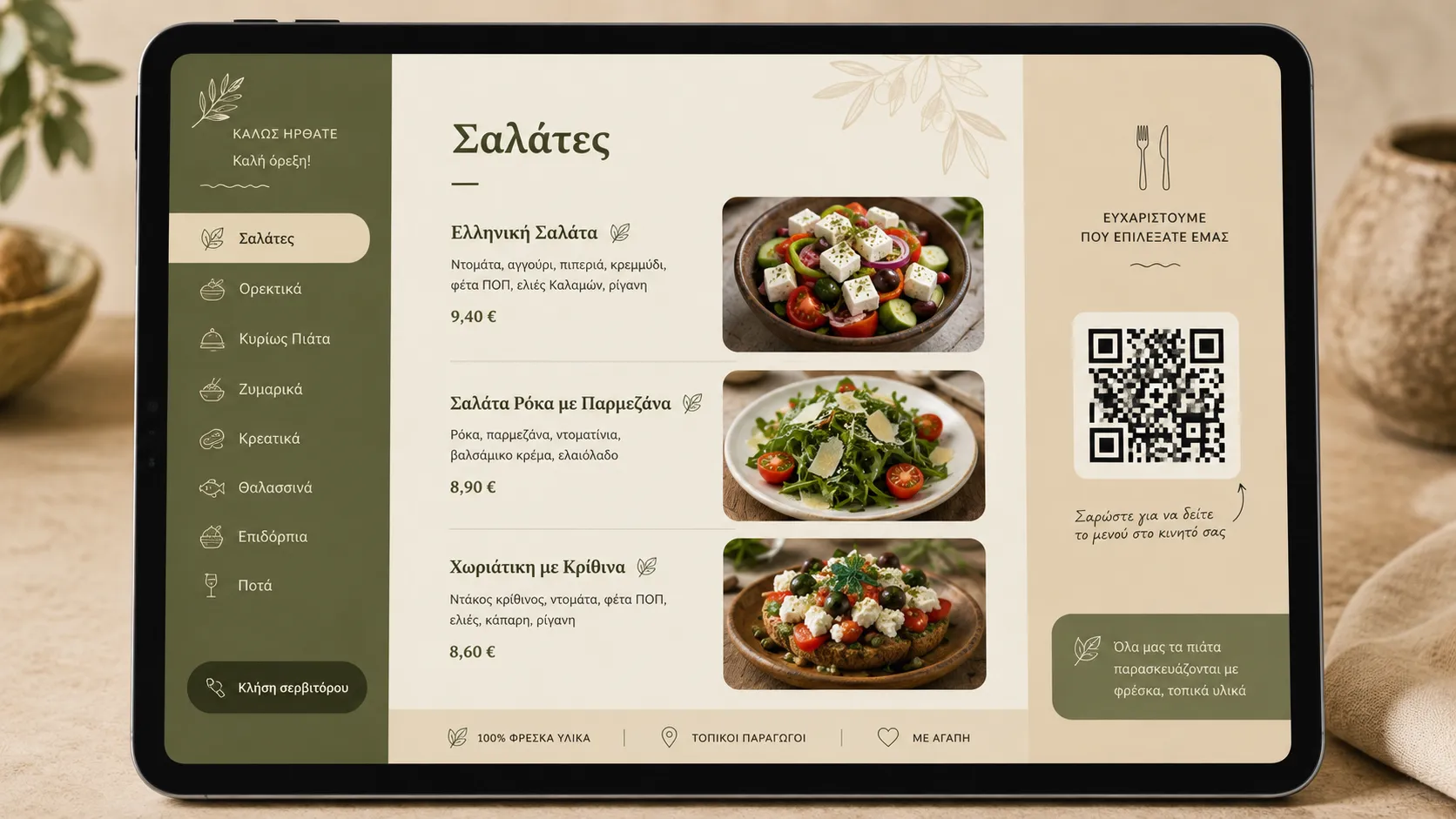
AI generates professional menu photos automatically — Waitex digital menu
🚀 Quick Start

Quick Start Guide

In less than 15 minutes your menu is online. Follow these 4 steps:

1

Sign Up

Create your account at waitex.app. Free for 30 days, no card required, no commitment.

2

Set Up Languages

Pick your main language and any extra languages your menu should support. Choose from the ready list, or add the two-letter country code for any new language.

3

Organize Categories

Build your categories (e.g. Coffees, Daily Specials, Wines, Desserts). Drag to reorder.

4

Add Products with Smart Scan

Add products manually or use Smart Scan: photograph your existing paper menu — the AI recognises all the products automatically. Tap "Add all" to import them in one go. Then two buttons appear: "Add description for all" and "Generate image for all" — one click each and your menu is complete with descriptions and photos.

⚙️ Advanced Features

Full Control. Endless Possibilities.

Beyond the basic menu, Waitex gives you professional-grade tools that other platforms charge extra for – or simply do not offer.

👁️

Enable/Disable with 1 Click

Run out of mezedes? Hiding ice cream during winter? With one click a product disappears from the menu – without deleting it. Bring it back whenever you want.

🏷️

Badges & Allergens

Add labels like "New", "Spicy", "Vegan", "Special". Declare allergens (gluten, lactose, nuts) so your customer feels safe ordering.

💶

Multiple Prices per Product

Pizza Small €7, Large €10, XL €14. Coffee Single €1.50, Double €2. As many variations as you need, displayed cleanly on the menu.

🏪

Complete Business Profile

Logo, cover photo, info, Google Maps location, working hours, accepted cards, delivery, TripAdvisor, Instagram, Facebook – all in one place.

💱

Any Currency You Want

Euro, dollar, pound – every standard currency is supported. Or add your own: Bitcoin, loyalty points, or anything else you can think of.

🎨

30+ Ready Themes

Pick from more than 30 professional themes so your menu matches the aesthetic of your space perfectly. Switch with one click.

📺 Extra Features

More Than a Digital Menu

📺TV Slider: Your TV in a New Role

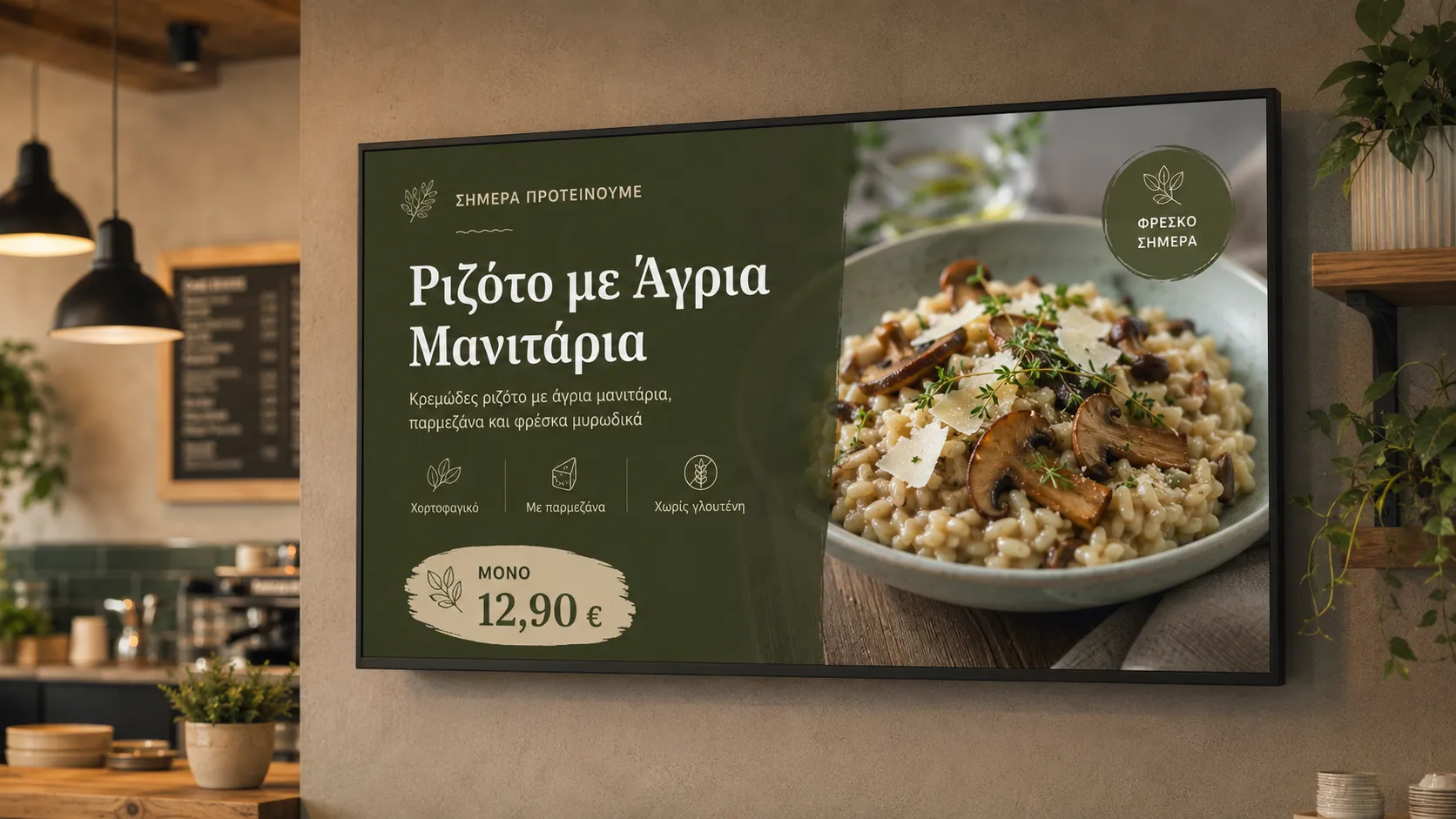
Forget USB sticks and the stress of showing your daily offers. With Waitex, your TV or tablet becomes a dynamic display board.

TV Slider — display your digital menu on any screen — Waitex
  • Full Customization: Choose which products are shown and decide whether to display prices, header or footer with info (Facebook, take-away phone number, etc.).
  • Theme Choice: Choose between 1 image, 2 images side by side, or 3 products at once.
  • Instant Connection: Just open the browser on your device and enter your slider address (e.g. waitex.app/mycafe/tv).

👋Hi! Page: Your Digital Home Base

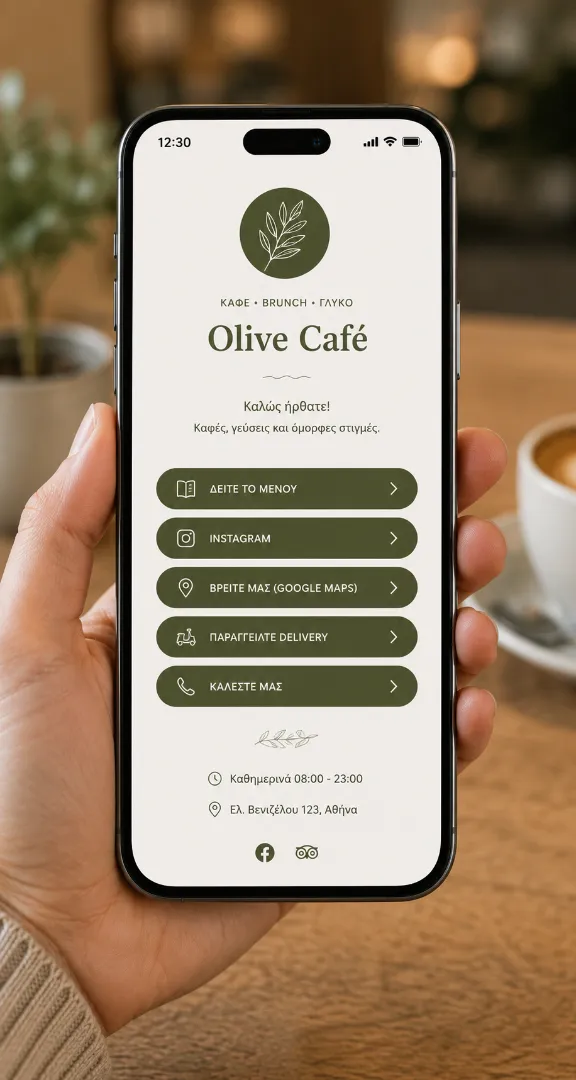
Get an extra page to advertise your shop everywhere. The Hi! Page (e.g. waitex.app/mycafe/hi) is the perfect tool for your social media: it gathers all of your important business links in one place – menu, delivery, reservations, Instagram, Facebook, Google Maps.

Hi! Page — all your business links in one place — Waitex
Perfect for your Instagram bio, for QR codes on flyers, or to share easily on WhatsApp.
❓ FAQ

Frequently Asked Questions

Do I need technical skills?
Not at all. If you can post a photo on Facebook, you can use Waitex.
What if I do not want AI images?
You can upload your own photos, or leave the product without an image.
Does it work without an app for the customer?
Yes. The customer scans the QR with their phone camera and the menu opens in the browser. No installation, no signup.
How much does it cost & how do I pay?
30 days free, no card required. After that, €149/year or €15/month – pay only for the months you use it. We accept: Bank Transfer, IRIS, PayPal, Revolut.
Can I cancel?
Yes, anytime. There are no automatic charges — there is no subscription that renews on its own. You simply do not pay for the next month or year and that is it.
Are refunds available?
We do not offer refunds. However, because there are no automatic charges whatsoever, there is no reason to ask for one: you only pay when you actively choose to continue.

Ready to Transform Your Menu?

Try it FREE for 30 days – no card, no commitment.

🌿 Start Free →
🎁 30-day free trial 📷 Smart Scan 🌍 180+ Languages 💳 No card 🚫 No commitment